Field servicemanagement voor servicebedrijven
Field servicemanagement.Tijd om uw grenzen te doorbreken.
Plan, volg en factureer elke interventie vanuit één platform.
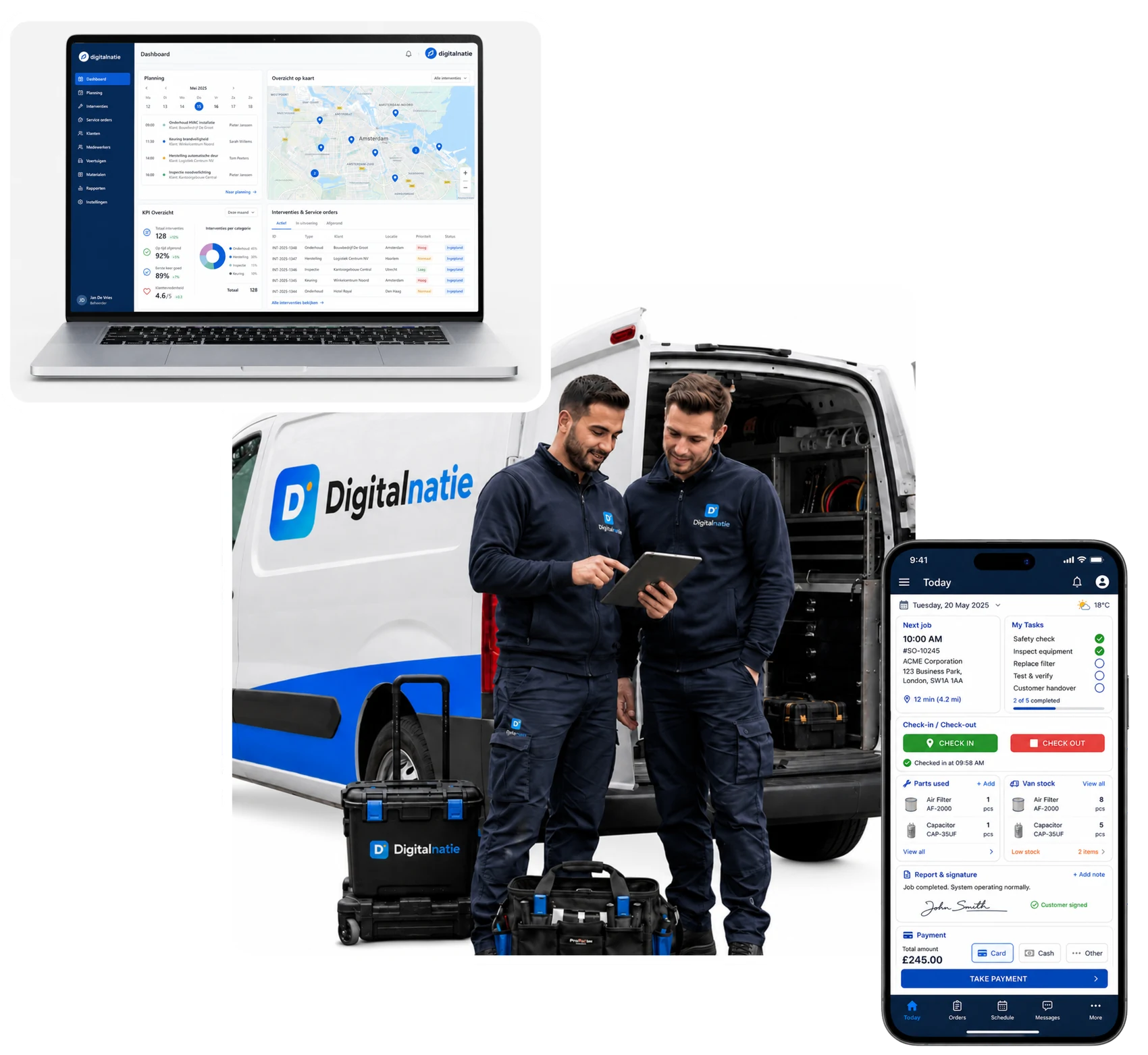
Van de eerste aanvraag tot de betaalde factuur: planning, techniekers, voorraad, klantinstallaties en facturatie werken eindelijk samen.
Bekijk de software tijdens een persoonlijke demo
- Volledig in het Nederlands, Frans en Engels
- Mobiele app zonder appstore
- Van aanvraag tot factuur in één platform
Hoe het werkt
Van aanvraag tot betaalde factuur, zonder dubbel werk
Elke aanvraag via e-mail, webformulier of telefoon doorloopt dezelfde vlotte flow. Wat uw technieker ter plaatse registreert, staat meteen klaar voor het verslag en de factuur.

Planning & dispatching in realtime
Zie meteen wie beschikbaar is en plan bij de juiste technieker
Beschikbaarheid, verlof en werklast van elke technieker ziet u in één oogopslag. Sleep een interventie naar wie vrij is: ze staat meteen in de app van de technieker, zonder telefoontjes of dubbele ingave.
- Beschikbaarheid en werklast per technieker in één oogopslag
- Slepen en neerzetten, meteen zichtbaar in de app
- Live status: onderweg, ter plaatse, in uitvoering, voltooid

Mobiele app voor techniekers
Alles wat uw technieker nodig heeft, op de telefoon
Uw technieker heeft de werkbon, de historiek van de installatie en de klaargezette onderdelen bij de hand. Hij doorloopt de LMRA, registreert zijn uren, neemt foto's en laat de klant ter plaatse tekenen. De app installeert rechtstreeks vanuit de browser, zonder appstore.

- Serviceorders
- LMRA
- Werk starten & afronden
- Gebruikte onderdelen
- Rapport & handtekening
- Taken
- Berichten
- Voertuigvoorraad
- Betaling
Onderdelen & voorraad
De juiste onderdelen klaar vóór vertrek
Per interventie ziet u welke onderdelen nodig zijn, wat al gereserveerd is en wat al in de bestelwagen ligt. Zo vertrekt uw technieker met alles aan boord en vermijdt u een tweede bezoek. Elk magazijn en elke bestelwagen heeft zijn eigen voorraad, en elke beweging wordt gevolgd.

Klanten, installaties & contracten
De volledige historiek van elk toestel bij elke klant
Per toestel ziet u de volledige interventiehistoriek, het volgende onderhoud, het contract, de garantie en een gezondheidsscore die toont hoe het ervoor staat. Zo weet uw technieker vóór vertrek wat hem te wachten staat, en terugkerend onderhoud plant zichzelf in.
- Volledige interventiehistoriek per toestel
- Volgend onderhoud, contract en garantie op één fiche
- Een gezondheidsscore die toont welk toestel aandacht vraagt
- Onderhoud dat zichzelf inplant

Van werk tot betaling
Van uitgevoerd werk naar factuur, zonder iets over te typen
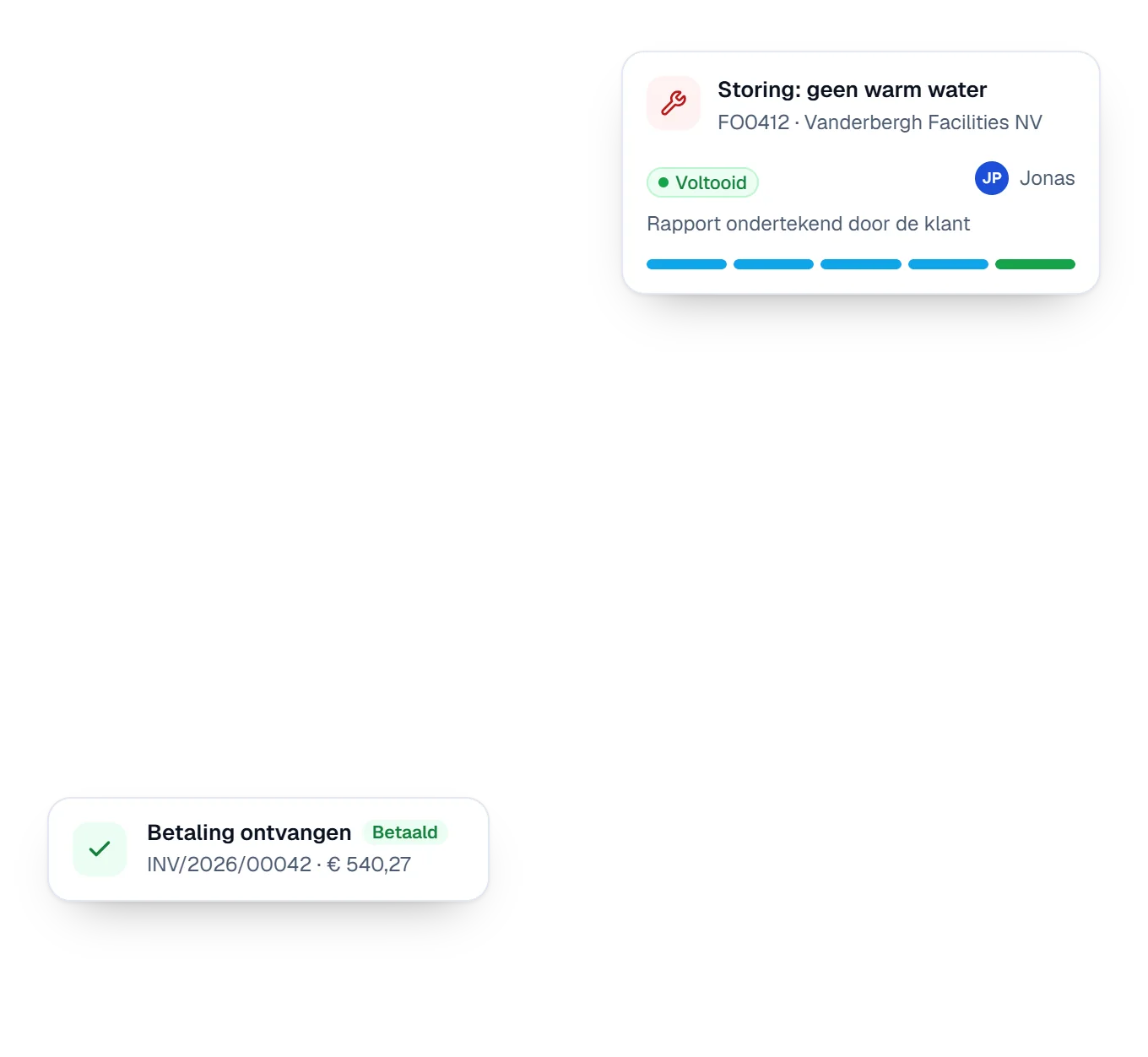
Uren en gebruikte onderdelen gaan rechtstreeks van de werkbon naar de factuur. U controleert, verstuurt en volgt de betaling op: geen vergeten facturen, geen manueel narekenen.

Overzicht voor de zaakvoerder
Eén overzicht voor planning, prestaties en opvolging
Het dashboard toont per technieker de planning van vandaag, de openstaande en dringende interventies, de projecten en de voltooiingsgraad. Zo weet u meteen waar u moet bijsturen, zonder rond te bellen.

Prijzen
Eén complete Service Suite, één prijs per gebruiker
Geen pakketten en geen functies achter een duurder plan. Elke gebruiker krijgt de volledige suite; u kiest enkel hoe u gefactureerd wordt.
De volledige Service Suite, voor elke gebruiker
€ 50per gebruiker / maand
Jaarlijks gefactureerd · excl. btw
- Per maand6 gefactureerde gebruikers × € 50
- € 300
- Per jaar
- € 3.600
U bespaart € 1.800 per jaar tegenover maandelijkse facturatie.
Alles hieronder is inbegrepen
- Planning & werkorganisatie
- Techniekers op het terrein
- Klanten, locaties & installaties
- Voorraad & onderdelen
- Commercieel & facturatie
- Platform, AI & integraties
Implementatie vanaf €950
De uiteindelijke implementatiekost hangt af van uw processen, migratie, integraties en configuratie.
Alle prijzen zijn per gebruiker per maand, excl. btw, vanaf 2 gebruikers. Implementatie wordt apart geoffreerd op basis van uw scope.
Veelgestelde vragen
Vragen? Wij antwoorden klaar en duidelijk
Alles wat u wil weten over wat Digitalnatie Service Suite doet en voor wie het gemaakt is.
Wat is Digitalnatie Service Suite?
Field service software voor servicebedrijven: u plant interventies, stuurt techniekers aan via een mobiele app, volgt klantinstallaties en voorraad op, en maakt van voltooid werk meteen rapporten en facturen, alles in één platform.
Voor welke bedrijven is het gemaakt?
Voor Belgische service-, onderhouds- en installatiebedrijven: chauffage en HVAC, elektrotechniek, sanitair, facility en onderhoud, herstellingen en depannage. Kortom elk bedrijf dat techniekers, planning, voorraad en facturatie beheert.
Hebben mijn techniekers een aparte app nodig uit de appstore?
Nee. De mobiele app installeert rechtstreeks vanuit de browser op de telefoon en opent volledig op het scherm zoals een gewone app.
Wat gebeurt er als een technieker geen netwerk heeft?
De app blijft de al geladen gegevens tonen, ook zonder verbinding, bijvoorbeeld in een kelder of technische ruimte. Zodra er terug netwerk is, worden de registraties gesynchroniseerd. Functies die een serververbinding nodig hebben, blijven offline uiteraard beperkt.
Kan ik onderhoudscontracten opvolgen?
Ja. Onderhoudscontracten genereren automatisch terugkerende interventies (maandelijks, driemaandelijks of jaarlijks) recht in de planning.
Hoe verloopt de facturatie?
Voltooide interventies, geregistreerde uren en gebruikte onderdelen staan klaar om te factureren. U controleert, bevestigt en verstuurt, zonder iets over te typen. Ook offertes, aankopen en betalingsopvolging zitten in het platform.
Kan ik starten met één ploeg of één vestiging?
Ja. U betaalt per gebruiker per maand vanaf twee gebruikers, en u voegt later gebruikers toe naarmate u uitbreidt. Zij worden pro rata aangerekend vanaf hun activering.
Kan één klant meerdere locaties hebben?
Ja. Een klant kan meerdere locaties hebben, en elke locatie kan meerdere installaties bevatten.
Wat gebeurt er na ondertekening?
De onboarding start: uw omgeving wordt aangemaakt en geconfigureerd, uw gebruikers en rollen worden ingesteld, en uw basisgegevens worden opgezet. De documentatie bevat daarvoor een onboardingchecklist die de stappen op volgorde overloopt.
Wat kan er worden overgezet?
De omvang van een migratie hangt af van wat er in uw huidige systeem zit en in welke vorm het beschikbaar is. Bespreek uw situatie voor het voorstel, dan wordt de migratie mee geoffreerd.
Is opleiding inbegrepen in het abonnement?
Nee. Opleiding is een afzonderlijke dienst en wordt geoffreerd voor uw specifieke situatie, net als onboarding, migratie en configuratiewerk.
Hoe bereik ik support?
Via e-mail op office@digitalnatie.com, in het Nederlands, Frans of Engels.
Klaar om uw servicewerking te moderniseren?
Plan een demo en zie hoe Digitalnatie Service Suite uw planning, terrein en facturatie in één platform samenbrengt.
Contact
Plan een online afspraak met een expert
Bespreek uw werking, teamgrootte en serviceproces. We tonen welke setup het best past bij uw bedrijf.